


AI Face Aging - Photo Editor
4.062.00 Reviews
App Specs
- Version
- 1.1.1
- Updated On
- License
- Free
- Downloads
- 5,000,000+
- Developer
- Willson Studio
- Categories
- Photography
- Platform
- Android
Screenshots
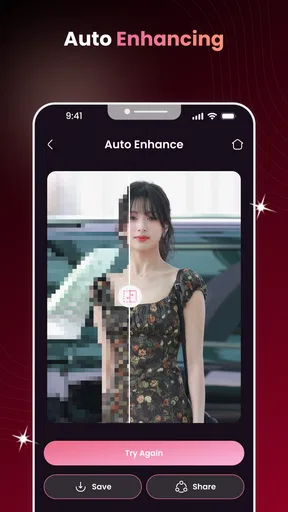
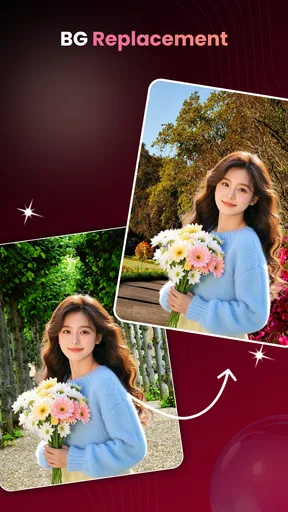
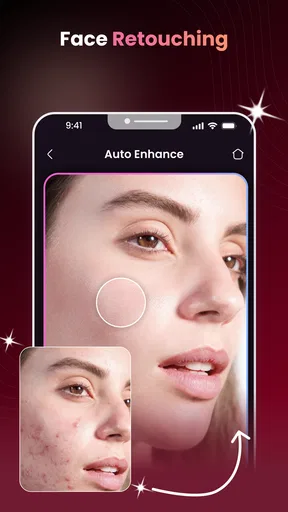
 Analysis by AppCompare
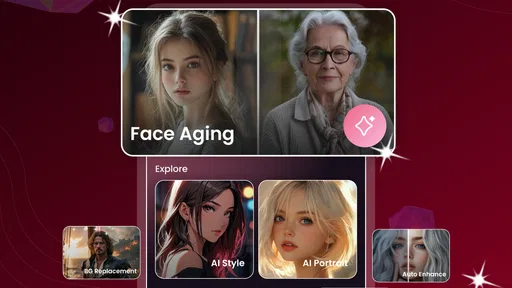
I see the appeal of an app that can turn a familiar portrait into a glimpse of an older face: it is quick entertainment, but it can also make a photo feel unexpectedly personal. AI Face Aging – Photo Editor is built around that idea, with face-aging edits at its centre rather than the broad collection of tools I expect from a general photo editor. My impression is that it is easiest to enjoy when I treat the result as a playful interpretation, not a prediction of what I will actually look like.
That distinction matters after the first few edits. A striking transformation can be fun to share with a friend or compare with an old selfie, but an effect app has to offer enough reason to return once the surprise wears off. I would consider this one for casual portrait experiments, especially if I want a focused experience without learning a complicated editing workflow. If I need precise retouching or a complete photo-editing toolkit, I would look elsewhere.
From first experiment to a lasting place on your phone
I find that an effect app earns space on my phone through the occasions when I genuinely want to use it, not through the novelty of its first result. For this one, I would make that decision after a few portraits and notice whether the aging treatment gives me a fresh reason to return. That simple test leads naturally to the question of what makes an early experiment enjoyable.
The first-week appeal is easy to understand
The basic idea takes little explaining: start with a face photo and explore how an aging treatment changes its appearance. That clear purpose is the app’s strongest opening move. I do not have to plan a full edit or know anything about photography; the fun comes from seeing a familiar face presented differently. The app is free, and its Everyone age rating makes it approachable for casual use across a wide audience.
In a realistic everyday moment, I might be waiting for a friend and choose a well-lit selfie to see how an aging effect changes the expression and overall impression. That works best when I pick a photo where the face is unobstructed and looking reasonably toward the camera. A side angle, heavy shadow, or a hand covering part of the face can make any automated portrait transformation less convincing. Choosing a clear image before editing is a small step that can save frustration.
The best early use is often social rather than serious. I can show a result to someone who knows the original photo and enjoy the contrast, or try the same idea on a family portrait with everyone’s permission. I would keep the tone light: an AI-generated aging image is an artistic effect, not a dependable forecast. That expectation makes it easier to appreciate an amusing or surprising result without judging it as a realistic account of anyone’s future appearance.
Willson Studio is the developer behind this photography app. It has a 4.2 average from around 5,200 ratings, and it has passed 5 million installs. Those figures suggest that the concept has found an audience, though popularity alone does not tell me whether the editing style will suit my taste. The current release is version 1.1.1, and the app is listed for Android 8.0 and later.
Worth Reading Before You Choose

Flipboard Shows What News Apps Must Do Beyond the Feed

Switching to Android Auto Means Rethinking Your Driving Routine

Google Calendar Makes a Crowded Week Easier to Manage

Ludo King Makes the Most of the Minutes Between Plans

Baby Panda World Brings Quick Play to Modern Phones, but Its Game Library Feels Busy

ESPN’s Live Game View Makes Following Close Games Easier
What makes a portrait worth trying
For a more satisfying result, I would use a photo with even light and a natural expression rather than a heavily filtered image. Strong beauty edits, face-obscuring accessories, and busy backgrounds can compete with the effect or make the transformation feel less coherent. If I am choosing between several pictures, I would start with the one that looks most like the person in everyday life. That gives me a more useful before-and-after comparison than a carefully posed or altered portrait.
A practical workflow is to keep the original photo unchanged, make an edited copy, and compare the two at the same screen size. It is easy to be impressed by a dramatic preview when it fills the display, then notice distracting details when viewing it alongside the source. I would also decide before sharing whether the image is clearly meant as a joke or experiment. A transformed face can be misread when it appears without context, especially in a family chat or social feed.
This is one of the less obvious trade-offs of a single-purpose effect app: the narrower focus can make an experiment feel straightforward, but it also means the result has to carry most of the experience. If I want to crop, balance color, remove a distraction, and finish a polished portrait in one place, a full photo editor is a better fit. Here, I would approach the image as a quick creative variation rather than the start of a detailed retouching session.
Month-to-month value depends on how you use it
After the novelty, I would ask whether I have a recurring reason to make another aging edit. For most people, that may come in occasional bursts: a get-together, a conversation about family resemblance, a personal photo project, or a friend asking to see the effect. That is a perfectly reasonable role for a free app, but it is different from a tool I need every day. I would keep it installed only if those moments happen often enough to justify the space and attention.
One useful way to avoid repetitive results is to make each experiment answer a different question. I might compare a current selfie with an older family photograph, or use a small set of portraits to see how lighting and expression affect the visual impression. I would avoid endlessly reprocessing the same picture just to chase a perfect version. With a playful effect, a few thoughtful comparisons usually tell me more than a long sequence of near-identical attempts.
There is also a personal use beyond sharing: an aging treatment can prompt a conversation about how we see ourselves and our relatives. I would use it as a creative starting point, not as evidence about genetics or health. The app’s central idea can make a photo feel more meaningful for a moment, but the image remains an edited interpretation. That boundary keeps the experience enjoyable and helps prevent the result from being taken too literally.
Compared with a standard portrait editor, this app has a more specific reason to open it: the aging concept. A general editor is stronger when I want control over the final image, while a social camera app may be more convenient when I want a quick effect at the moment I take a photo. I would choose this one when the age-transformation idea itself is the point. If I mainly want dependable touch-ups, cropping, or color adjustments, switching between a dedicated effect app and a conventional editor may feel like unnecessary extra work.
The maintenance burden is modest, but still worth considering
A focused app can be easy to forget until a particular photo sparks an idea. That is not necessarily a flaw; it simply means I would not expect a daily habit to form on its own. My maintenance test is straightforward: after trying it with a few suitable portraits, do I still have a use for it that a general editor cannot handle as conveniently? If the answer is no, uninstalling it is sensible. If I enjoy returning to the aging effect for occasional comparisons, keeping it around makes more sense.
I would also keep expectations measured around image quality. Automated edits can look more persuasive on one face and less natural on another, and a single strong example does not guarantee that every portrait will come out equally well. When a result feels awkward, I would first try a different source photo with clearer lighting and a more direct angle. If the effect still does not work for that image, I would accept the limitation rather than spend time trying to rescue it with unrelated edits.
Because I cannot treat this as a full editing suite, I would make a simple decision before opening it: am I here to explore an age effect, or am I trying to finish a polished photograph? That question prevents the app from becoming an extra step in a workflow that another tool already handles better. For a quick experiment, the focused purpose is convenient; for a finished portrait, it can be a constraint.
Where fatigue can set in
The same central effect that makes the first session appealing can also narrow the reasons to return. Once I have seen a few transformations, another similar edit may not feel as fresh. I would be especially likely to lose interest if I expect each result to be realistic or meaningfully different. The healthier approach is to value the amusing contrast and the conversation it creates, rather than expecting an endless stream of surprises.
Sharing can add fun, but it can also make the effect feel more disposable. A quick reaction from friends is not the same as a reason to keep editing, and I would avoid posting someone else’s altered portrait without checking that they are comfortable with it. For a private joke, sending the image directly may be a better choice than presenting it as a serious prediction. This small bit of care matters because face edits concern a person’s appearance, even when the intent is lighthearted.
Another source of friction is the gap between a dramatic preview and a result I would actually want to keep. If I am aiming for a polished image to print or use in a carefully composed album, an aging effect may not match that purpose. I would save the original separately and regard the edited version as a playful offshoot. That way, an experimental transformation does not replace the photo I value.
Who should try it, and who should choose something else
I would recommend giving AI Face Aging – Photo Editor a try if you enjoy portrait effects, want a quick conversation starter, or are curious about how an aging treatment changes a familiar face. Its free access lowers the commitment for that kind of occasional use. It may also suit someone who prefers a direct, single-purpose experiment over navigating a large suite of editing controls.
I would skip it if my main goal is accurate aging simulation, professional portrait retouching, or an all-in-one workflow for preparing photos. Someone who is sensitive about appearance may also find this kind of transformation uncomfortable rather than entertaining. In that case, a conventional editor that adjusts the original image without changing perceived age is the more considerate option. The app’s Everyone rating describes its general audience category, but personal comfort still matters.
The key question is not whether an aging filter can produce a striking image; it is whether I will use that kind of image more than once. The app’s 28 written reviews offer a smaller body of detailed commentary than its rating total, so I would put more weight on trying it with a photo I am comfortable experimenting with than on expecting a particular result from other people’s experiences.
My long-term verdict
I see this as an occasional creative tool, not a permanent fixture for every phone. Its appeal is immediate, its purpose is easy to grasp, and it can turn a familiar portrait into a fun subject for comparison or conversation. Its lasting value depends on whether I enjoy returning to that specific effect; it does not become a broader photo editor simply because I keep it installed.
My practical advice is to test it with one clear, ordinary portrait, save the original, and decide whether the edited result is enjoyable enough to share or revisit. If it gives you a few good moments, that may be all you need from a free photography app. If the novelty fades quickly or you want precise control over finished images, a more versatile editor will earn its place more easily. I would try it with light expectations and keep it only if the occasional transformation continues to feel worthwhile.
Pros
- Quickly creates an aged-face preview from a photo.
- Simple editing flow makes it accessible to beginners.
- A useful way to experiment with different future-age looks.
- Can make portraits more entertaining to share with friends.
- Photo-based results feel more personal than generic filters.
Cons
- Results are simulations and may not resemble how someone will age.
- Lighting
- angle
- and image quality can affect the outcome.
- Some features or effects may require payment or in-app purchases.
- Uploading personal photos may raise privacy concerns; check the app’s policy.
- Generated edits may look artificial
- especially around facial details.
FAQs for AI Face Aging - Photo Editor
What is AI Face Aging - Photo Editor?
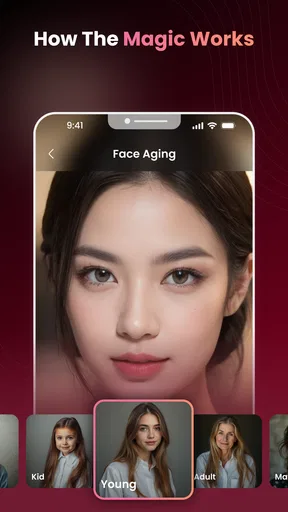
AI Face Aging - Photo Editor is a photo-editing app designed to apply age-related effects to faces in pictures. Depending on the tools available in your version, you may be able to preview an older-looking face or explore other portrait transformations. The results are intended for entertainment and creative use, so treat them as generated edits rather than accurate predictions of how someone will look in the future.
How do I create an aging effect with the app?
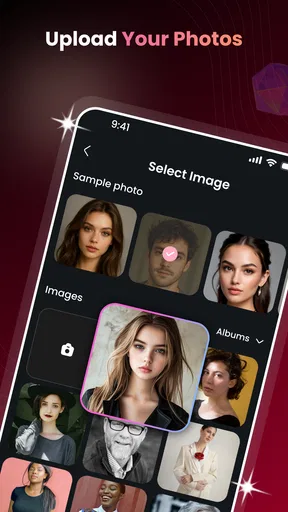
The usual process is to choose a photo from your device or take a new one, select an aging effect, and let the app process the image. For a clearer result, use a well-lit, front-facing portrait with the face unobstructed. Available controls and steps can vary by app version, and some effects or editing options may require an internet connection or an in-app purchase.
Is AI Face Aging - Photo Editor free to use?
The app may be available to download without an upfront charge, but that does not necessarily mean every feature is free. Some versions of photo-editing apps include advertisements, limits on free edits, optional purchases, or a subscription for additional effects. Check the app-store listing and the purchase screen carefully before confirming payment, and review any trial terms or renewal details if offered.
Does the app upload or store my photos?
Photo handling depends on how the app processes images and on the privacy policy for the specific version you install. Some effects may be processed online, which can involve sending a photo to a service, while other features may work on your device. Before selecting a sensitive image, review the app’s privacy disclosures, permissions, retention practices, and available options for deleting uploaded content.
Can AI Face Aging show exactly how I will look when I am older?
No. An aging filter creates a visual effect based on the selected image and the app’s editing or AI model; it cannot account for future health, lifestyle, genetics, or other changes. Lighting, facial expression, image quality, and processing can also affect the result. Use the feature as a playful photo transformation, not as a medical assessment or a reliable forecast of your appearance.


